
Sergey Miloserdov
Introduction
Hello! My name is Sergey Miloserdov, I'm a system analyst in Nau Engine and a big fan of gamification in all its forms. A solid background in this field pushed me to write a series of articles about game controllers and their features.
My previous article was dedicated to the history of game controller development. However, they all ultimately dealt with one thing: reading user actions and, interpreting them as data, sending it to the program for further use. In this article, I offer to consider this process in more detail.
How does the game perceive the data received from the controller? What is the fundamental difference between a button and a trigger? When will we finally be able to play with just our minds, without any gamepads? The answers to these and other important questions are below.
Let's start by dividing the concepts of sensors and controllers. You can argue about border cases, but generally speaking, the first is part of the second. For example, a typical computer mouse consists of an optical sensor for movement, buttons, and a wheel - all relying on sensor data. However, to work correctly, they also require code that processes signals.
A controller can be considered a programmable-hardware complex consisting of sensors and processing software. Even a camera with special software can be considered a controller if, as a result, we get data that can be used to control the interface or game process.
Each controller tends towards specific interaction scenarios. Dynamic third-person games are well controlled by a gamepad, but when you move the camera to the hero's eyes, everything becomes very ambiguous. Real-time strategy games work best with a mouse and keyboard. 2048 and "three in a row" are easily played with a swipe on the touchscreen.
These features are driven by content. Let's discuss it further. Let's consider the main organs of control and sensors, as well as partially analyze the interaction characteristics with some of them.

Button - the foundation of everything. The simplest and most accurate way to control. It has two states: either pressed or not. At first glance, it seems little, but this is enough for interpreting events ("pressed", "released", "held") that can be varied by considering time ("multiple press", "holding time"). If necessary, buttons can be combined into groups for additional interpretation of combinations. An example of this is the cross on a gamepad.
In general, buttons are present on almost all gaming devices. Even where they do not participate directly in the input process, they are used for maintenance purposes.
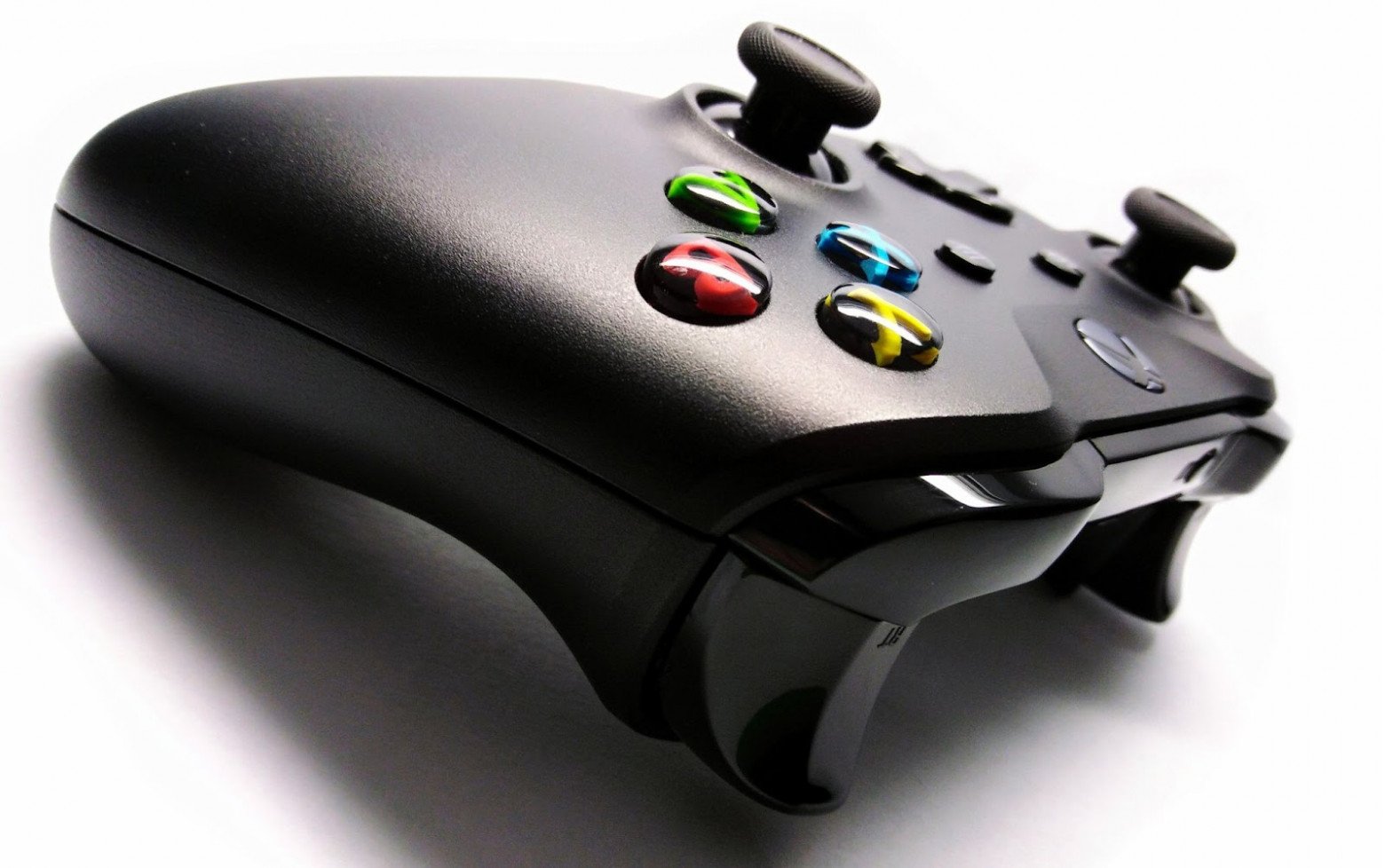
The trigger expands the functionality of the button. It allows considering the force of pressing, smoothly changing the signal depending on the depth. This control organ has finally taken root in modern gamepads (with rare exceptions). Without triggers, there is no controller for car and aircraft simulators. Its functionality completely covers the need for smooth change of speed or intensity of any action in games.
The returned trigger signals may differ between different gamepads. For example, a pair of triggers can form an additional axis, where the left responds to minus shift, and the right to plus. On other devices, the trigger simply returns the force of pressing, allowing developers to decide how to use each trigger separately.
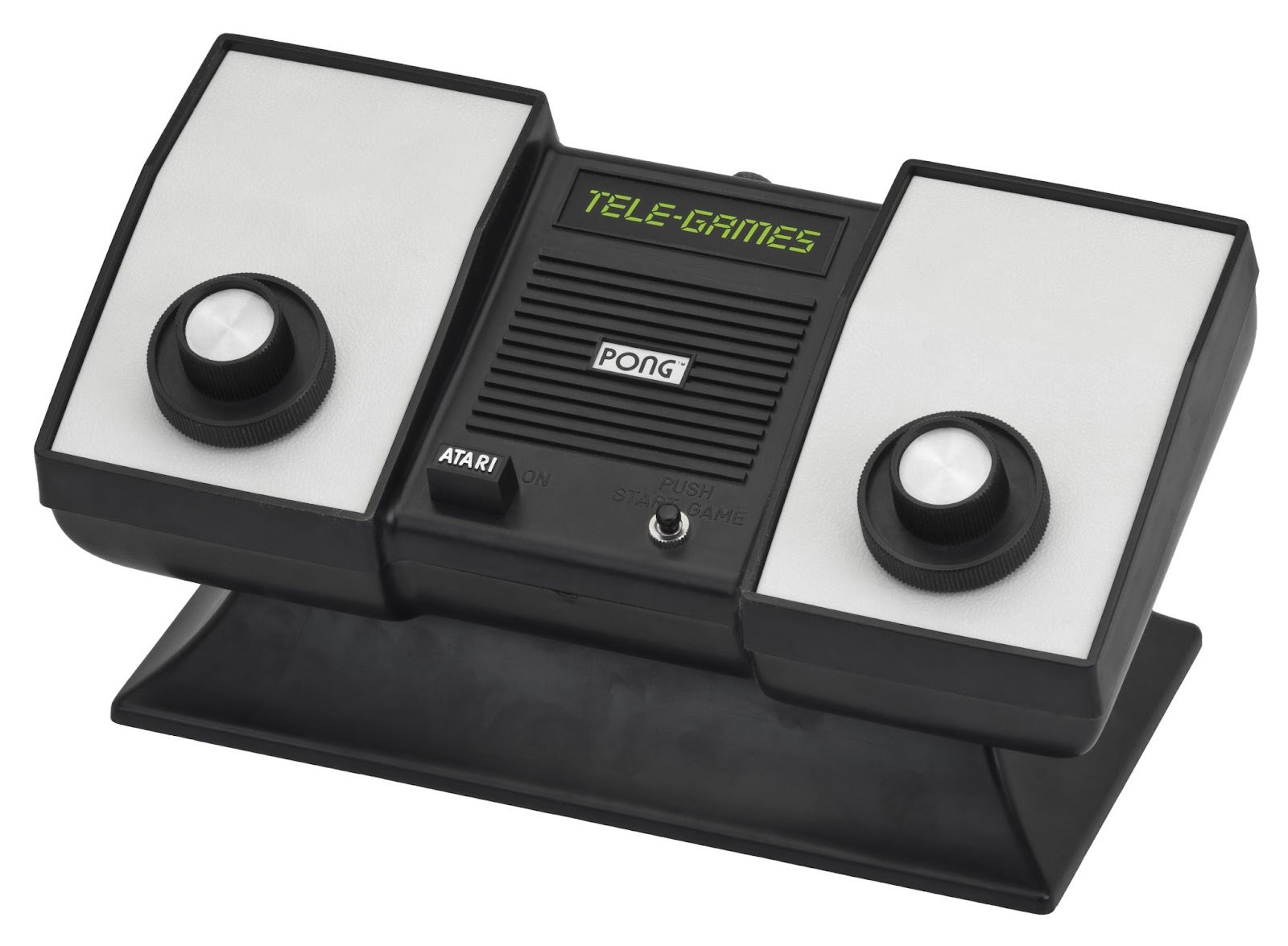
Rotary sensor. The first gaming devices were not equipped with triggers or buttons, but with turning handles that returned data about rotation. This control organ always felt great in technology and disappeared from gamepads rather quickly. However, it then did not simply return to computer mice, but firmly established itself as a standard way of scrolling documents and web pages. In PC games, the wheel is also actively used, for example, to change the scale of the map in strategies. However, on consoles, rotary sensors are a rarity and mainly appear on specialized controllers.
Depending on the implementation, the rotary sensor can return both displacement during rotation and level of rotation if the handle has restrictions. In general, the first method is used, while the second is an exotic for specialized controllers.
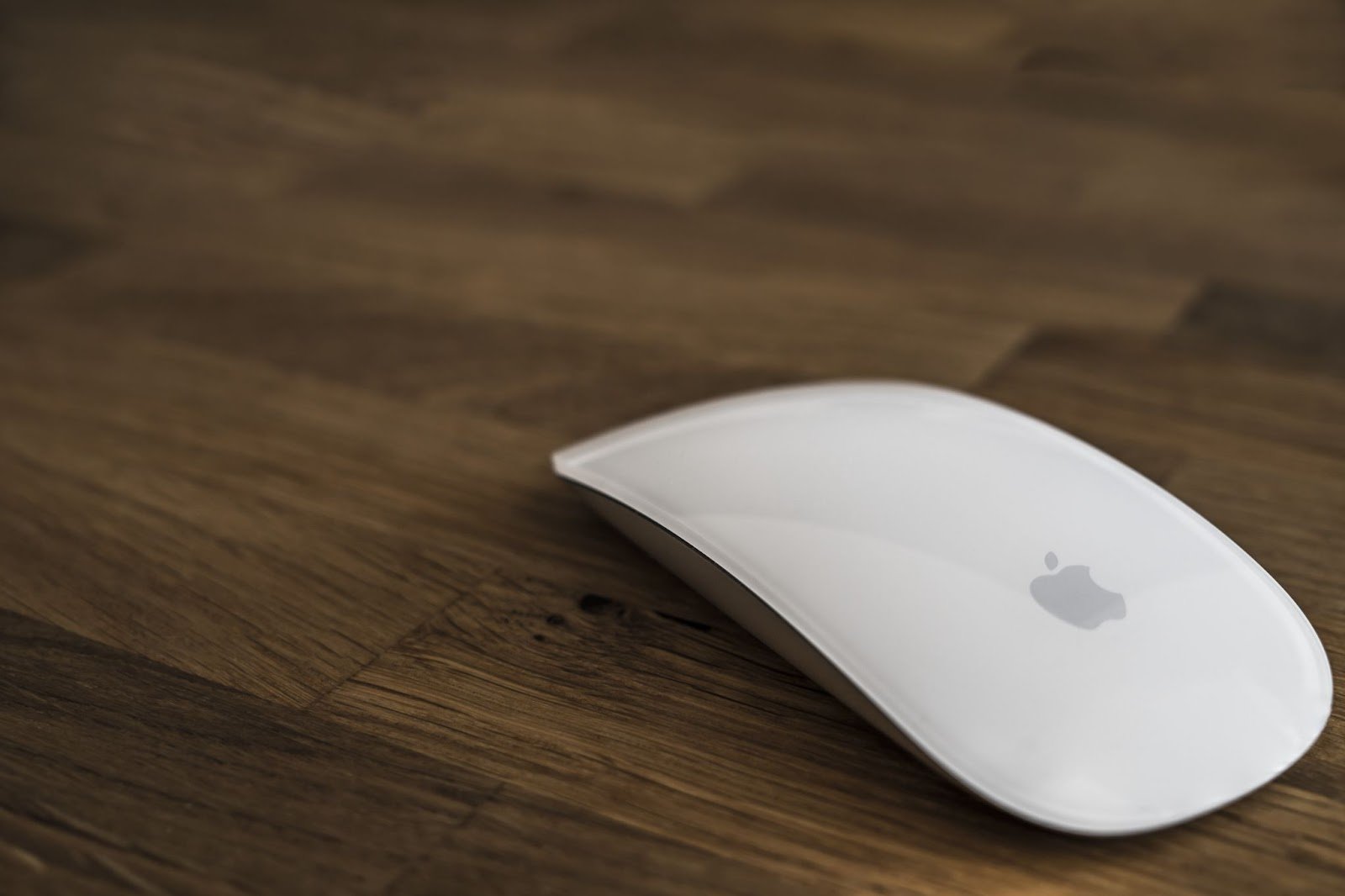
Pointing device (relative displacement) - a general term for a large group of devices that are very different in appearance and interaction characteristics. They all have one thing in common: sending a signal about the shift in the current iteration cycle. In other words, data is tightly linked to time and starting values to which it will be applied. Most often, the cursor is implied, but in reality, the displacement vector is universal. It is used in various devices.
The sensor mouse (optical or laser) reads the movement of the mouse on the surface of the table. It returns the shift of the cursor relative to its previous position on the screen.
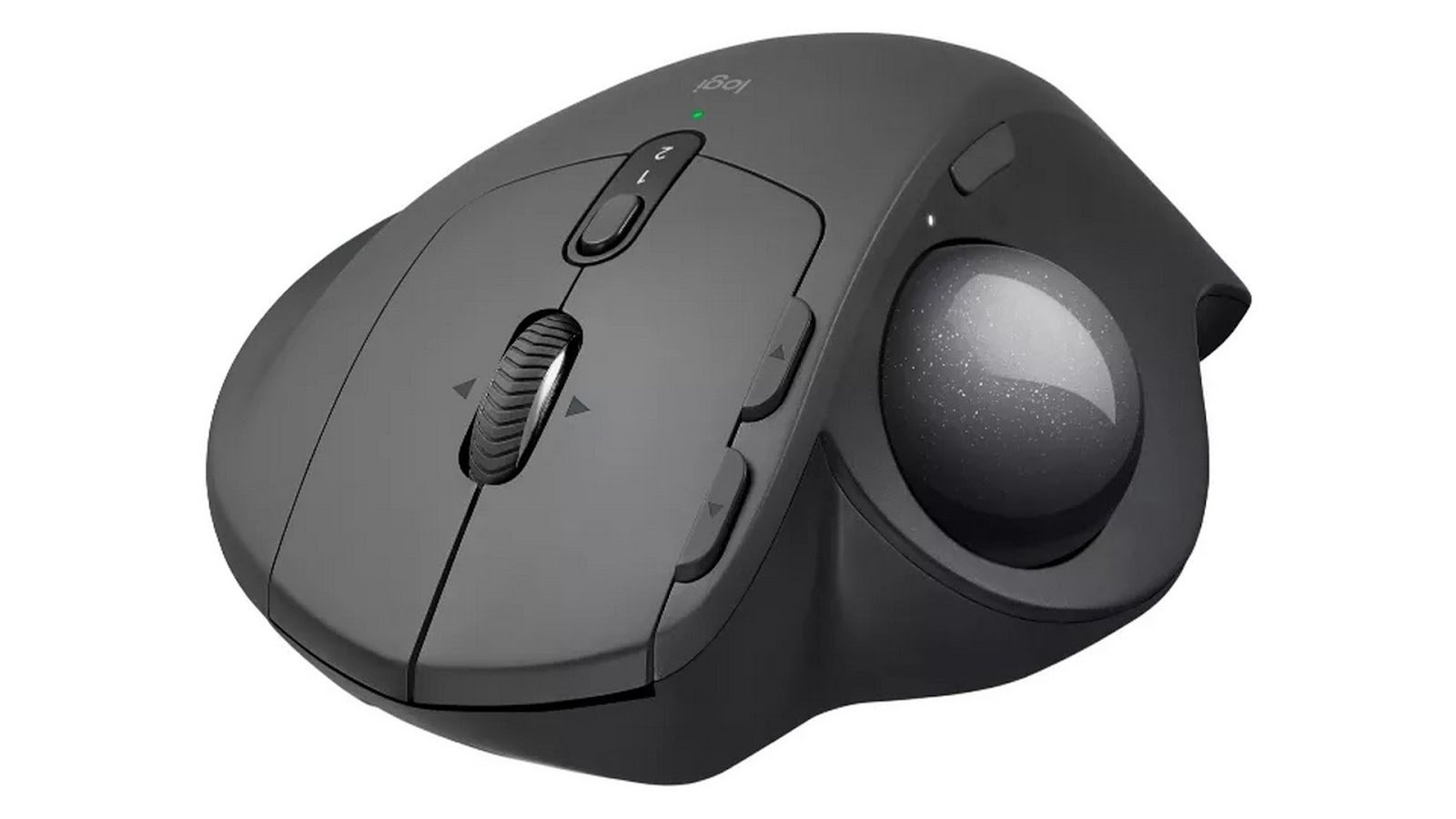
Trackball was once a replacement for notebooks' mice, but it's now rarely used. Although today, such devices are still sold. Trackballs require getting used to and don't fit well with dynamic games, but they also have their own fans.
Sticks are primarily associated with games, although they're not used only in them. This is a natural development of the joystick, which originally returned a specific direction (now a cross on a gamepad, WASD keys or arrow keys are used for this). Today, the term "stick" specifically refers to an analog two-axis control organ. It returns displacement along axes X and Y with consideration of the degree of deviation from the center. In other words, it can control the relative position of the cursor on the screen or the direction of movement in two axes just like a mouse.
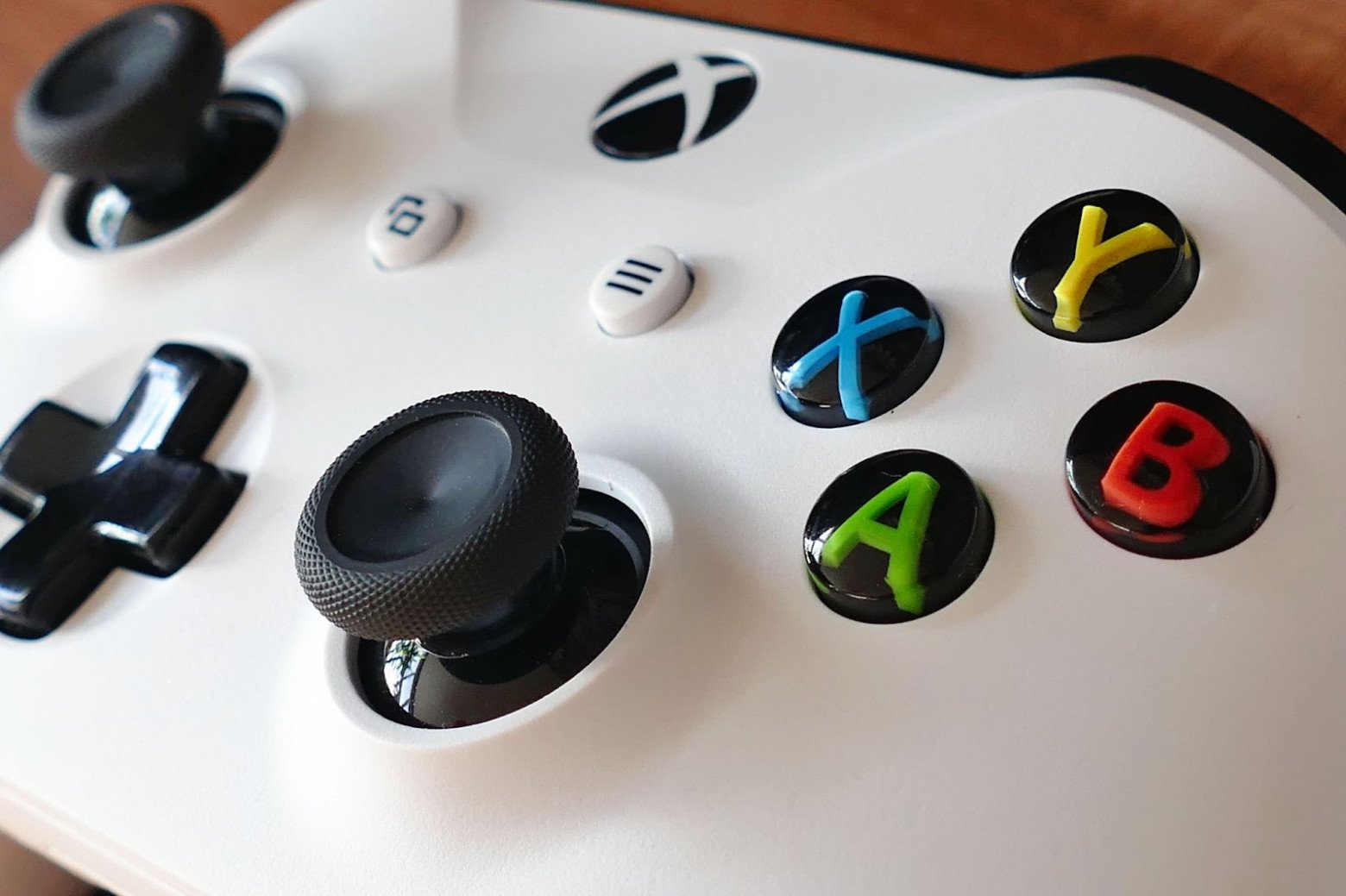
Touchpad is present on almost all laptops as an alternative to the mouse. Since touchpads mainly return changes in the location of contact, they should be distinguished from sensor surfaces that also return coordinates. However, it's technically challenging to move touchpads from relative pointing devices to absolute ones, but most often there is no such function in laptops. This type of input is less convenient and accurate than a mouse due to the limitation of the sensor area and often lower accuracy.

Accelerometer - a sensor that returns relative data about movement in three-dimensional space. That is, information about shaking comes from it. In terms of device characteristics, it's similar to a mouse, but it operates with three axes. In modern gamepads, mobile devices, and VR controllers, this is almost an essential element.

Pointing device (absolute coordinates). I'll clarify the situation to avoid confusion - the previous section was indeed similar in name. The main difference between devices with absolute and relative coordinates lies in the fact that the first have their own reference point, which gives more freedom in interpreting their data.
To this group of devices belong various sensor surfaces. They can have one or two axes. Although single-axis sensor surfaces are rare, two-dimensional ones can be found everywhere. Here are just a few examples.
Touchscreen is probably the most common type of sensor surface that everyone knows. As a value, it returns the coordinates of contact. Modern screens usually support ten simultaneous touches - this is more than enough.

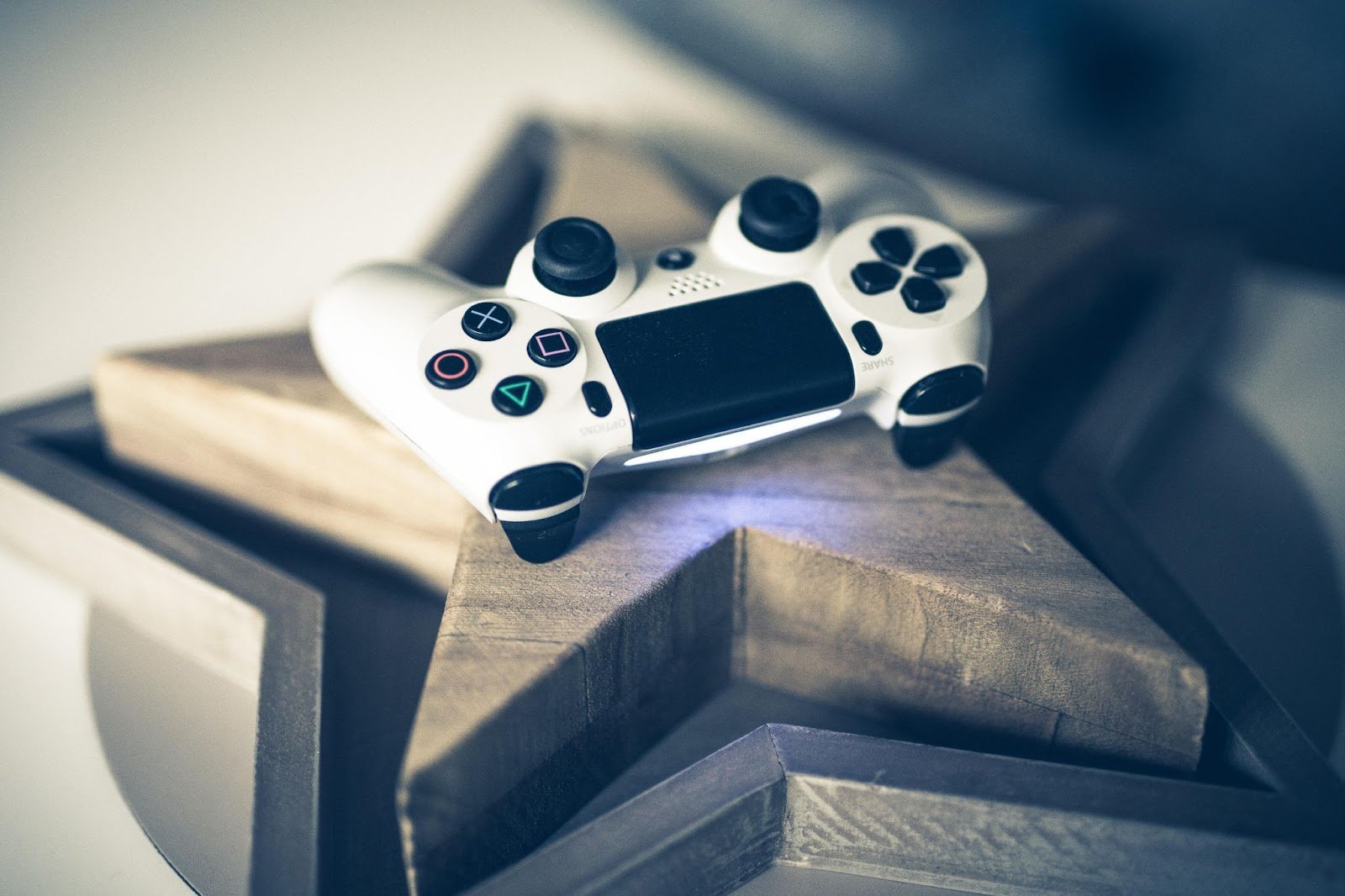
Touch-sensitive surfaces are now a common feature on modern gamepads, but multitouch is not as relevant to them. However, the PS4 sensor did not limit itself to displacement vectors and returned coordinates of contact instead.
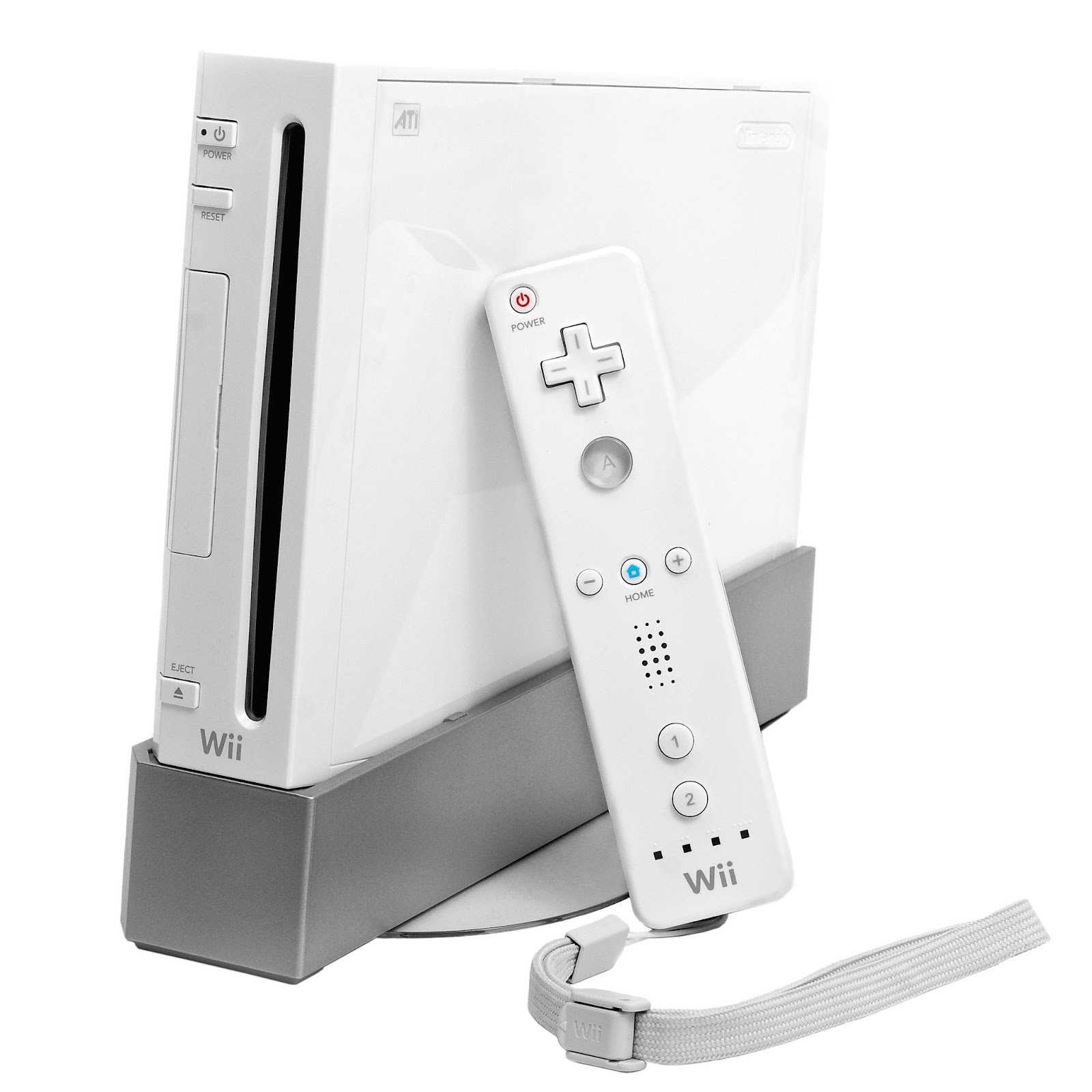
Optical pointers can also be conditionally placed in this group. Although their working principle differs radically from their relatives, we ultimately get absolute coordinates of the device on the screen. The main and almost only such device in the gaming industry will be Wii Remote with PixArt technology. However, it uses not only an optical sensor for pointing but also gyroscopic readings.
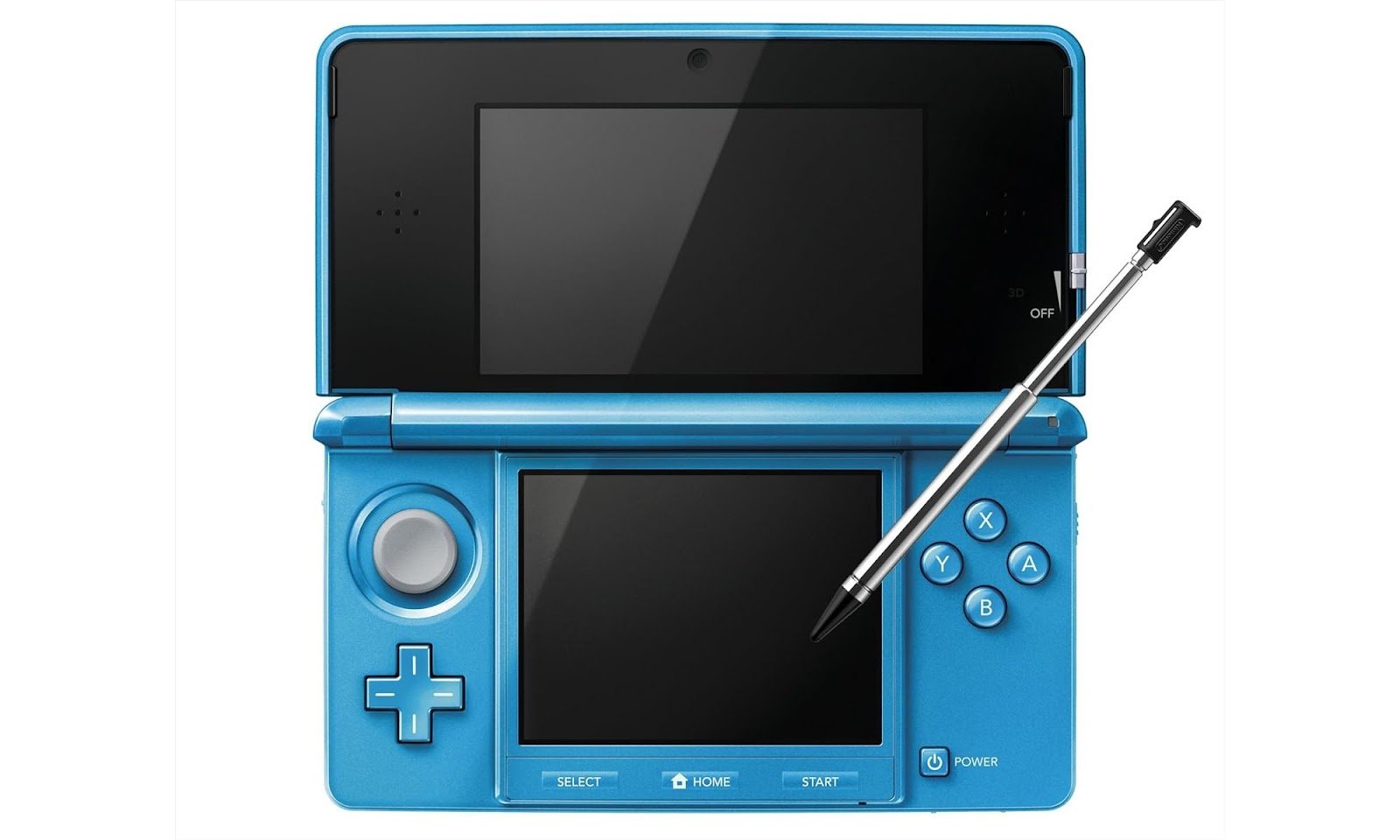
Stylus is in the same row as well. In Nintendo 3DS, the stylus was one of the standard control organs, but in other scenarios, this input method is almost not used. At the same time, a graphics tablet on a PC has additional data that are lacking in similar devices. For example, tilt angle and pressure force are especially important for artists, as they significantly affect the drawing process. Styluses for smartphones and tablets are also common and can be used for games.
This category includes devices that work with three-dimensional space and are implemented in different ways. The most accurate ones are controllers and the HTC Vive helmet and its analogues. Kinect is also similar to them, as it can return the position of hands in the space in front of cameras.
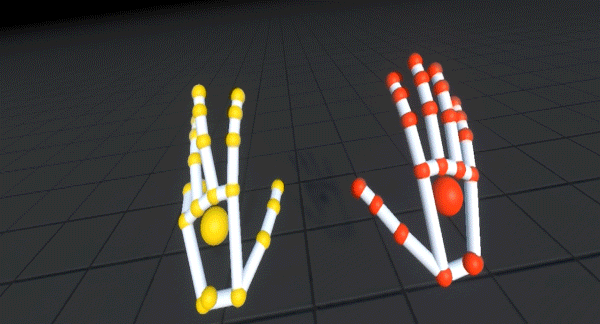
Leap Motion differs from them in that its point of reference can be not only a fixed point but also the VR headset itself. In general, this looks logical, considering that the player's hands are usually attached to their body along with the head. The device reconstructs the position of hand joints, so we can get multiple coordinates for each joint.
Rotation. A set of sensors whose data determines orientation in space. These data most often come from an accelerometer-gyroscope pair. In the final result, we have three numbers describing rotation. Data on device angular speed can be obtained directly from the gyroscope.
Geopositioning is most relevant to mobile devices. A receiver of a geoposition signal is used in games where real-world and virtual worlds are connected. One of the best-known projects that used geoposition as an input method was Pokémon Go.
As usual, coordinates work with two numbers describing a point on the planet's surface.

Additional control organs are usually not outside the scope of small experiments in a very limited number of devices. For example, sensor strips that return only one number (displacement or position) or computer vision devices like Kinect or infrared sensors JoyCon are too difficult to bring to a common denominator. There are standards for more common solutions.
Standards in Brief
In the context of gaming consoles, complete ecosystems and strict control from platform owners allow for creating clear and stable sets of input devices. When developing a game for a specific console, the developer knows exactly what device the user will hold in their hands.
Things get slightly more complicated with console multi-platforming, as you need to consider possible differences in control organs, although within a set of familiar and standard controllers.
On PC, things are even more complex. There is a range of universal standards that allow for some order in the zoo of various input devices.
HID (Human Interface Device) exists as part of USB specifications for various input and indication devices, but also fully compatible with Bluetooth. Although the standard allows device manufacturers to use it not only for input devices, we are interested in its role specifically related to input devices. Mice, keyboards, and other gaming peripherals for PC (regardless of whether they are wireless or not) most often belong to HID-compatible devices, allowing developers to avoid installing specialized drivers.
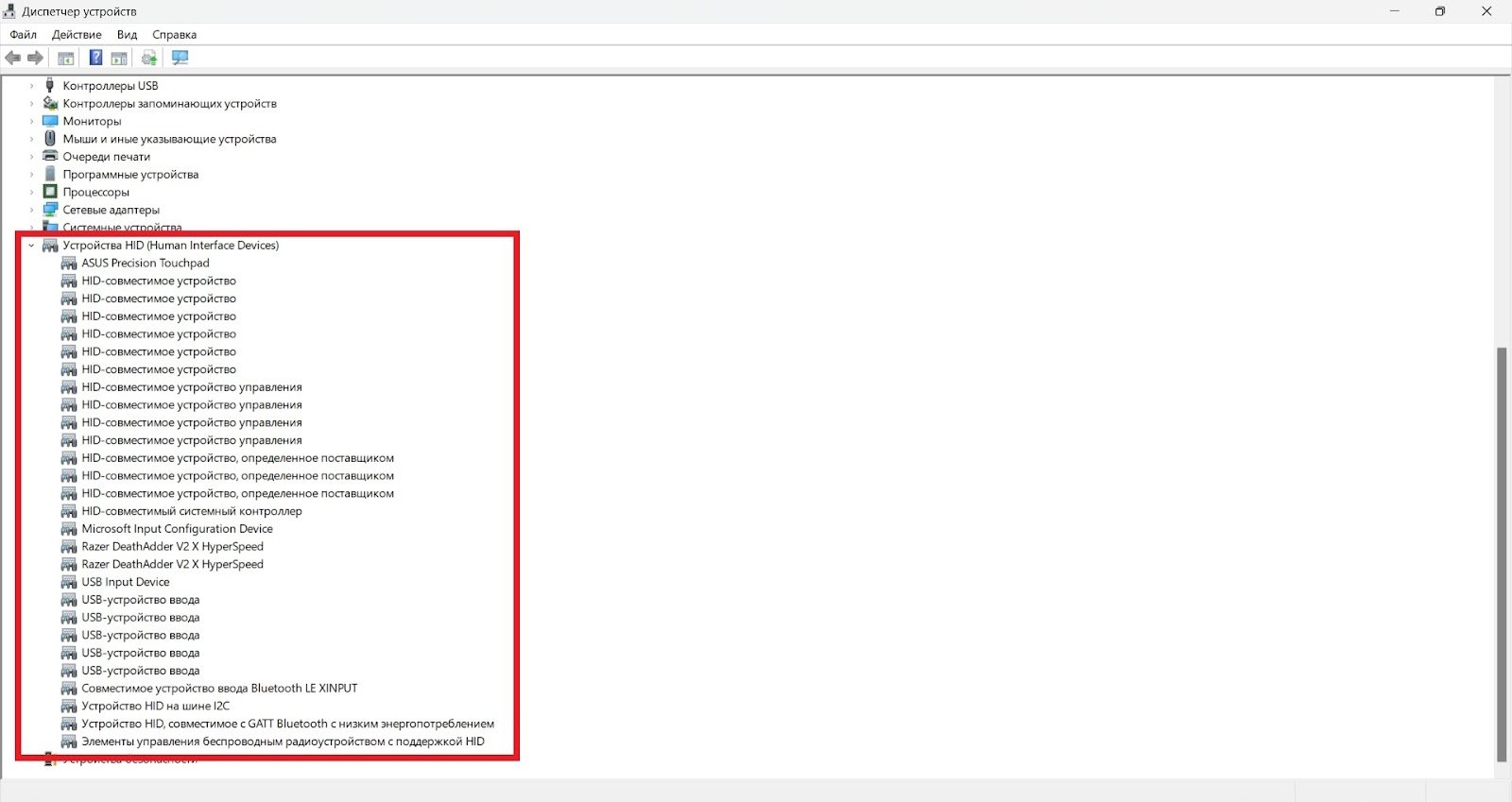
Modern operating systems support HID specifications out of the box, making life easier for both players and developers. For example, when creating a game in Unity Input (Legacy), we can connect an HID-compliant controller for testing and development. In this case, for Unity, it is not particularly important to know the details - the engine will automatically pick up basic controls: buttons, triggers, and sticks. Some sensors may not be recognized, but they will not interfere with the game's operation and simply will not be used for input.
HID is a significant step in organizing data coming from devices into the system, but it does not solve all problems. Controllers can still have features that need to be considered by the engine or game code.
The problem of device-specific settings is well-solved by the new version of Unity Input System, which significantly expands support for devices and sensors, allowing developers to independently organize work with a large number of devices without HID. Moreover, if an input device supports HID but is not supported by the Input System, it can still be used.
Steam Input. The next step in classifying gaming devices was taken by Valve. On PC, you can connect a variety of accessories, including console gamepads. In this case, the user will expect familiar behavior for themselves, identical to that on consoles. However, here may arise difficulties. HID itself does not work out such scenarios.
In the past, solving problems related to standardization of device behavior fell on developers' shoulders, but Valve has come to their aid. The Steam Input software layer allows identifying a connected device and configuring input settings for games in the library. Primarily, this system is necessary for improving the user experience in various game scenarios different from the familiar PC work with keyboard and mouse.
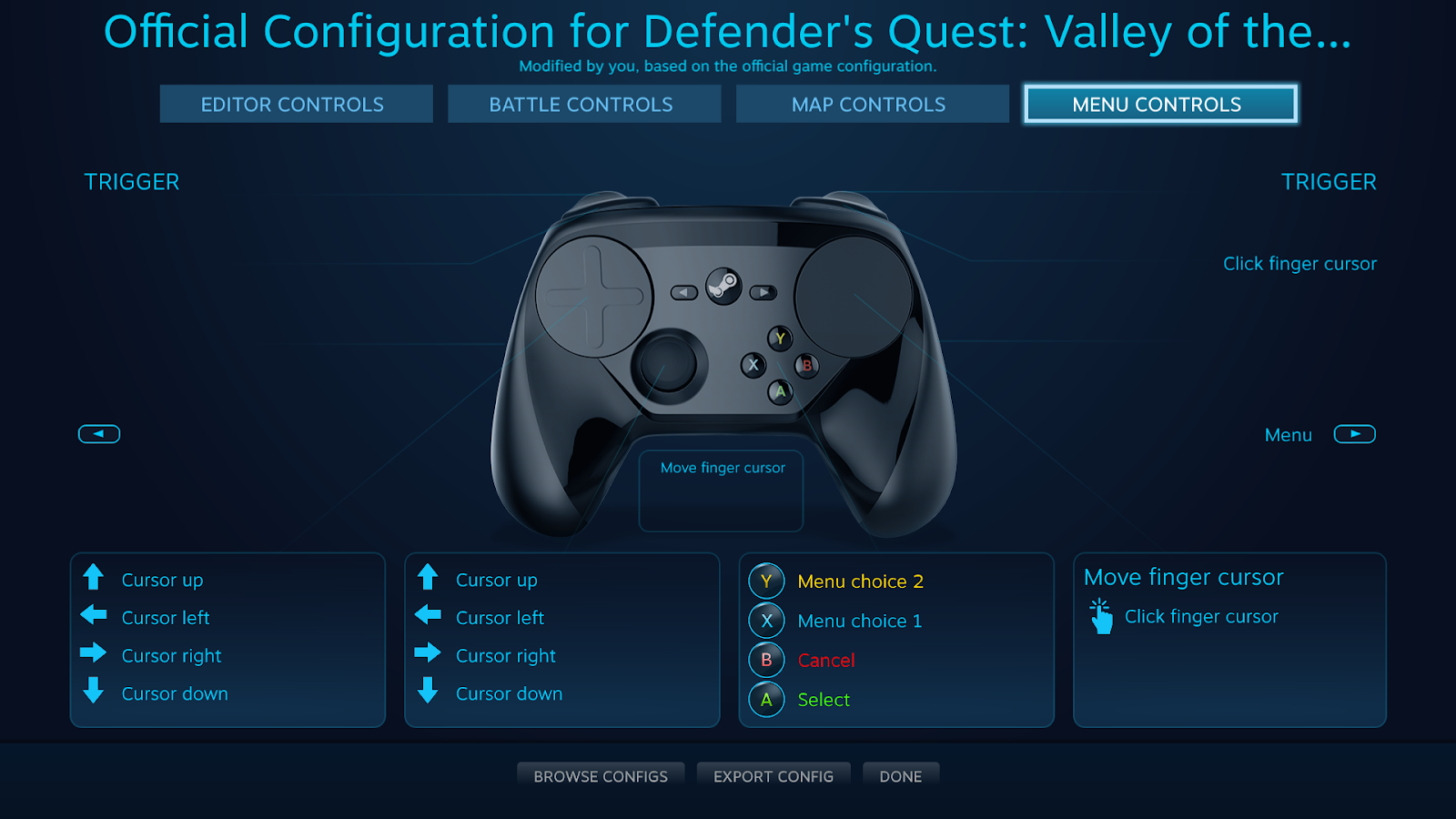
Valve has done tremendous work on developing Big Picture mode, which must be controlled by a gamepad, and the developed solutions have evolved into Steam Deck. Interestingly, Valve, despite having its own input devices, does not focus solely on them. The created system aims to create a comfortable user experience specifically with their set of devices.
In addition to working with controllers, the Steam Input documentation provides recommendations for launching processes, organizing interfaces, and other aspects that are not directly related to input devices but affect the overall quality of the game.
Regardless of the specifics of any controller, all of them have one main task - to send data. Let's consider how data coming from controllers is usually interpreted in games.
Data and Where It Resides
At the heart of data sent by a controller are always numbers, even analog controls return digital values. Analog is called only out of respect for their precision.
These numbers can be integers, real numbers, or represent a logical variable. Let's move to the next level of abstraction and describe the data that combines the values, as well as how they may be used in game logic.
Pressing the right button - a foolproof way to tell a program what we want (assuming we didn't miss). "Yes/No" or "true/false" is the basis for a boolean logical variable.
Offset (vector). The dimension of the vector directly depends on the data source. For control devices that capture changes in one dimension, this offset can be expressed by a single real number. Example: mouse wheel. When shifted, it returns the degree and direction of shift.
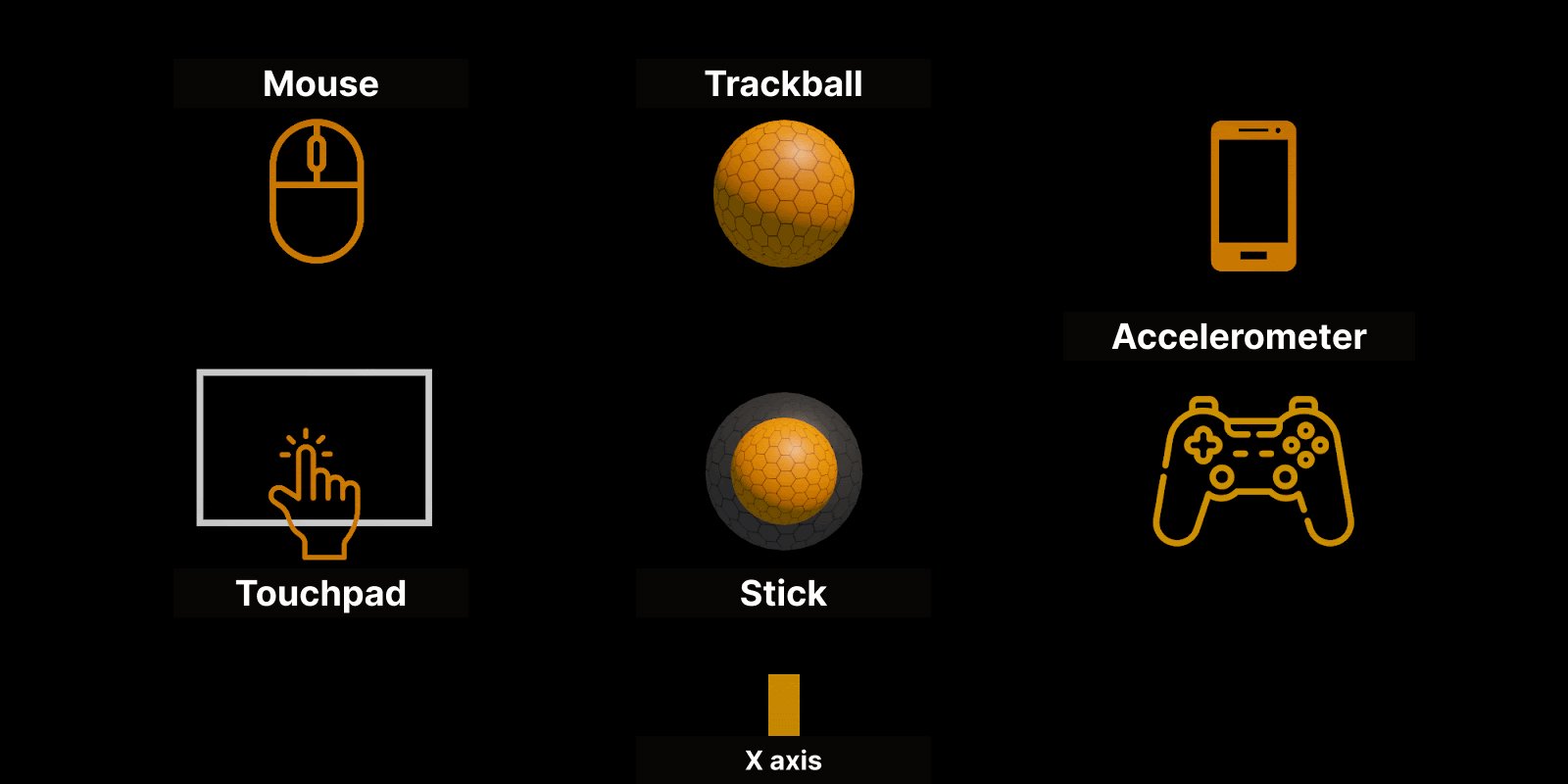
What information does the mouse or trackpad send to the system? Answer: A 2D vector offset. And from this, the position of the cursor is calculated, as well as the rotation of the camera or object. For a plane, it's suitable, but in 3D space, additional work is required.
Adding a third dimension allows considering the device's movement in familiar three-dimensional space. The conditional number by which the controller shifts can be corrected by a speed multiplier.
Offset data are easily interpreted into a specific position if a software-defined starting point of measurement is set on the side of the program.
Position (coordinates). For accurate indication of position, a certain device input point of reference is required. Coordinates are returned with offset from this point. Data in absolute coordinates can be easily converted to relative by calculating the difference between positions at requests. But how many numbers can be used? Like with offset, several dimensions are available here.
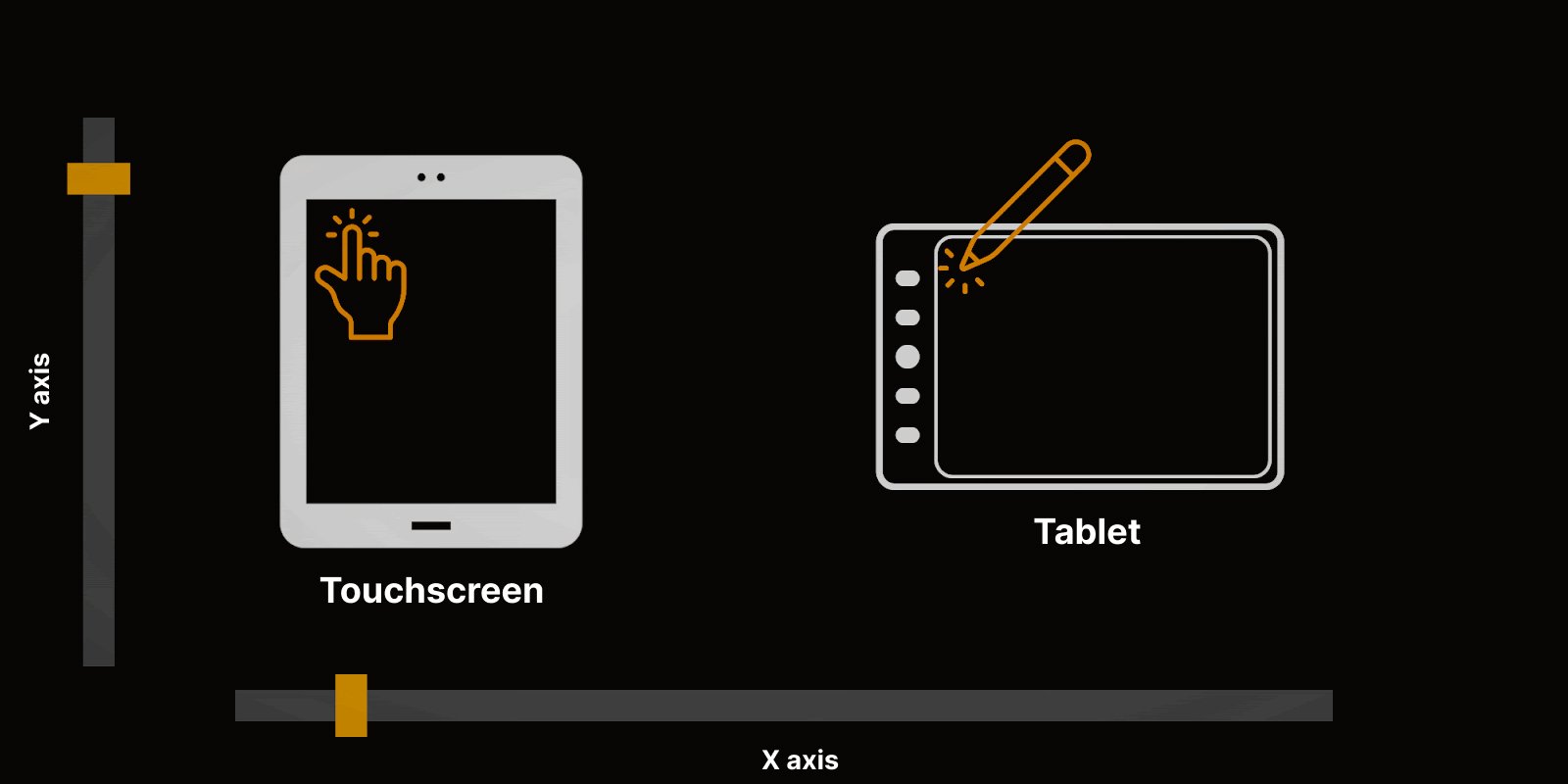
1D. A trigger or a sensor strip will return one real number. Although in some cases, a pair of triggers may be responsible for the shift: one for plus shift and another for minus shift.
2D. Position on the screen or on a surface - this is two numbers pointing to a point in a given space. Most often it is located at the top left corner, which can cause confusion if you are used to values growing along the Y-axis from bottom to top. The most understandable and familiar device operating with such data is a touch screen. But even complex interfaces for controlling gaze (e.g., devices like Tobii) output relatively simple data: coordinates of the point on the screen that the user is looking at.
3D. Coordinates in three axes return systems positioning, which are more often used in virtual reality devices. This is especially important for them to accurately determine the position of the controller in real 3D space.
Rotation. Data about the angle of inclination send an accelerometer present, for example, in a phone. If we look at pure data, it's possible to remember that the Earth constantly attracts us, so one axis will always be shifted down. Based on this, it is possible to interpret the rotation device in space relative to the point of attraction.
Values of angular speed are more often provided by a gyroscope. Accordingly, based on data from this sensor, we understand how quickly the device rotates in space. This is especially useful if the device rotates around one axis and an accelerometer is not enough.
A pair of an accelerometer and a gyroscope provides sufficient information about the rotation of the device. This has become particularly relevant after the appearance of smartphones, but even Wii Remote and gamepads actively used these sensors. Interestingly, on a PC, they have not yet appeared in standard form.
Arrays (matrices). In general, this group includes data from sensors where there are many related values recorded at one moment in time. An example can be any image. But how many color component values need to be stored for each pixel depends on the task. The same data from a depth sensor can be interpreted as an image in shades of gray.
These spherical data in a vacuum are not particularly useful by themselves. To use them in a game, it is necessary to consider temporal parameters.
The Time Factor
Time has a determining value when interpreting any data. First and foremost because time itself comes from the concept of "event" as a change of state. Moreover, taking into account time allows creating additional layers of information.
For example, if we have an arbitrary point of measurement, then a vector of direction and consideration of time allow changing the position of an object. Or you can do it the other way around - from two points in space and time, calculate a vector of movement. Therefore, it's essential to understand the difference between relative and absolute indicating devices.
But analyzing data changes over time can give much more information than one might initially think. Especially if you take into account the context of input and game situation.
Sequences and time series - a very interesting type of data. Even non-professionals will recognize it, as the most often analyzed time series is sound, which is nothing but a sequence of amplitude values.
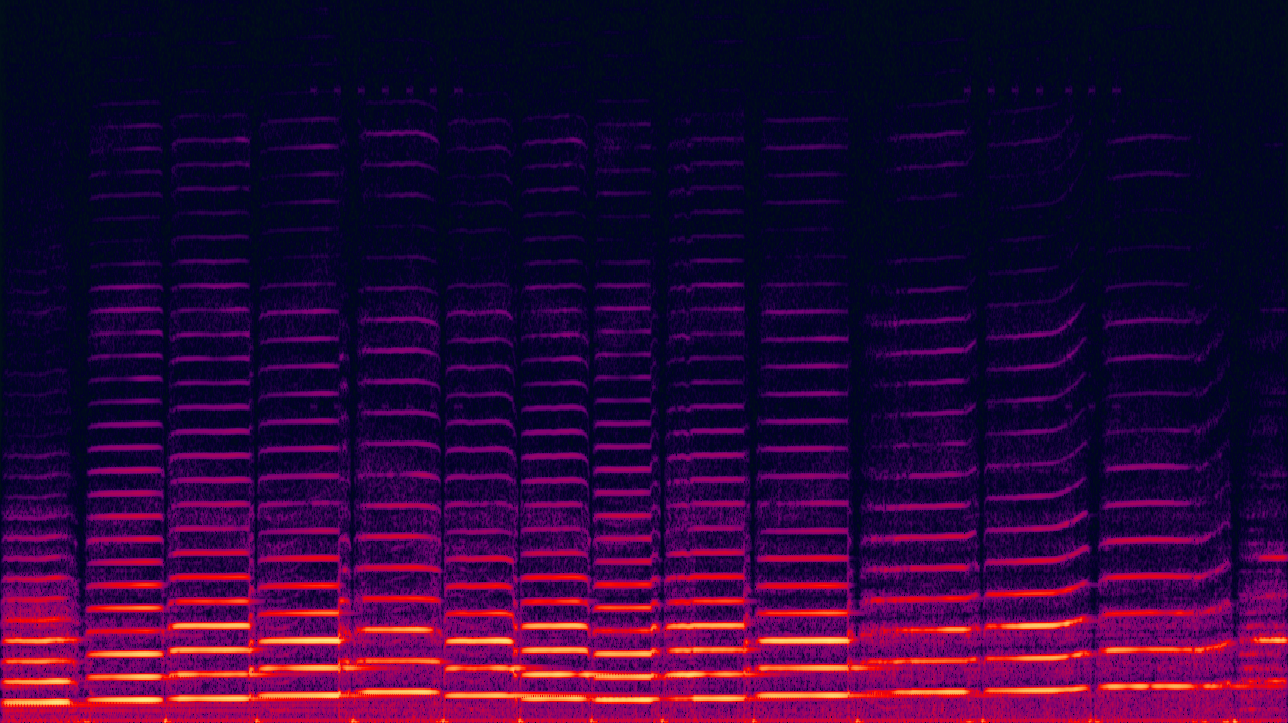
Sequences of values can be used everywhere, especially when context is important. We can apply not just the position of the trigger at the moment, but accumulate and analyze sequences, interpreting them in a certain way and receiving new input variants. The presence of time stamps gives additional information about the nature of the sequence, speed, and periodicity of changes, as well as the presence of gaps in data (are they rhythmic).
A more visual option is a sequence of coordinates of movement. Analyzing the temporal series of displacement vectors can be interpreted as a specific gesture regardless of the point of reference or the need to press the button at the beginning of movement. At the same time, it may take into account not only the trajectory, but also the speed of movement in individual phases. Such an approach is quite suitable for analyzing movements in rhythm games.
An additional option for analyzing complex data can be a sequence of images of the player and their facial expressions. These data can provide information that will allow interacting with non-playable characters at another level. Analyzing mimicry allows reading emotional responses to character quotes. Or even considering their absence, providing an additional context for the game to correct quotes and NPC behavior. Or considering the degree of involvement in the gameplay process, in a more complex form than simply absent input events.
A very narrow channel of information from conventional controllers can be expanded using familiar devices that are already available to the user. Ultimately, it's not so much the data sent by the controller that matters as their correct interpretation. Whether it's a simple button press or a complex time series, it must first be processed for use in the game. This role is assigned to the software and ultimately to the game logic described by the game designer.
Interpret It
Complex data can often be easily represented as simpler ones. For example, a large displacement angle of the stick (the force with which the trigger is pressed or the speed of mouse movement) along one axis can be interpreted as state A, while the absence of displacement as state B.
An important role in input will play the context of the scene or game situation. Games differ from each other not only in mechanics but also in the device's interface, so even in similar situations control may differ. What about situations where innovative mechanisms or devices are used, the rules for interacting with which have not yet been fully formed, such as VR? The input device in the player's hands remains the same in all game situations. Intuitive understanding of actions is a sacred grail that all developers strive for.
The game controller and genre clichés set the frames within which the game designer must operate. Woe to him who cannot find the right way! Modern users will not delve into uncomfortable controls or read a thick manual to understand the intricacies of interacting with the game. He is likely to simply go and enjoy one of the hundreds of other available entertainment options.
On the other hand, building a complex system from simple data is already a much more laborious process. The smoothness given by the stick is difficult to imitate with a single button press, as there are not enough data for the program. That's why, in order to accurately control, signals had to be grouped into a cross.
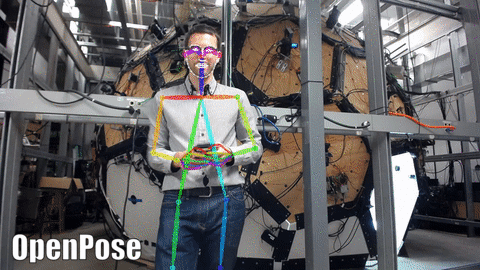
In theory, the more nuances a sensor can read, the more freedom developers have. For example, data coming from an ordinary camera can be interpreted as simple coordinates of detected objects or (through skeleton reconstruction and emotion recognition) become the basis for gesture and emotion recognition algorithms. However, not all ways of processing information are available "out of the box," so a specific implementation of unusual mechanisms may be extremely exotic.
Nowadays, AI with its ability to process large arrays of information can help analyze data - especially complex and difficult ones. Maybe this will even allow tying game mechanics to the degree of sarcasm in the player's tone or the smoothness of dance movements. It looks complicated and fantastic? This is a challenging task, but one that can be solved with modern technologies. It's just a matter of time and resources.
When it comes to computer vision, it's worth mentioning the OpenCV library, designed for working with images. A large set of functions makes it extremely useful in experiments when working with images - both for signal processing and data extraction. A range of tasks related to detection and tracking can be solved with its help without connecting image recognition algorithms. But it is also useful as a auxiliary tool for working with the dataset and training models for detection and tracking. Modern machine learning algorithms, including those based on neural networks, provide many new opportunities for experimenting with forming new data for input.
The more complex and diverse the data received from controllers, the harder it is for the game to interpret them. Therefore, here developers of games have an important task - not to get carried away. In the final part of this article, I would like to discuss the use of non-standard data that are still very rare but are used in the gaming industry.
The Art of Game Development
"Go forward", "go back", "jump", and "sit down". And instantly the character on screen springs to life, obeying the player's every command. A button press is a very precise and natural way to give a system a command. In terms of production costs, a button is significantly cheaper than an analog stick. So it's no surprise that they were left on gamepads during the console revival of the 80s.
But here's the problem: a binary signal only works for binary events, and sometimes we need nuance. The first thing developers tried to use in its place were combinations. Who can forget the cross on the gamepad that allows you to move diagonally by holding two directions at once? Now, for precise direction input, the cross is almost never used. In PC games, the WASD keys are still perfectly fine.
However, this may not be enough! An analog control element returning a fractional value along a pair of axes significantly expands the possibilities for control. The mouse, which taught players to regulate not only direction but also movement speed, serves as proof. Its console counterpart, the stick, is also quite good at data input.
But what do the mouse or stick return when moved? Obviously, "coordinates" would be the answer, but that's not exactly right. They simply move a virtual cursor or shift the camera in the direction of motion. If we want to specify a specific point, we first need to determine the space in which it will be specified.
Sensors don't have this problem. Their screen is that very same virtual space. In VR, there's a similar story, but in this case, the point is chosen not on a flat surface, but within an object. The Lighthouse technology is a great example of this.
In the end, we have an event, position, and direction. Sensors collect "raw data" (which we can simplify to microphone signals and camera images). They're more than enough for interaction with countless mechanics and interface configurations. A small percentage of games fall outside of this range and can be called experimental. How do they manage?
If you remember how we communicate in the real world, speech will come to mind immediately. But even if the platform's capabilities allow it to be read, neither developers nor players rush to use it. The commands become too abstract.
Let's break down a simple task: make a character walk towards a house. What's easier - specifying a point on the screen with a cursor or giving a voice command? And what if there are several houses that look alike? How would you specify which one is needed? "The northernmost", "the one with the funny brick" or "the one my cat might like"? Even if you have the correct answer to this question, the player may have their own opinion.
But does this mean voice input is not suitable for games? Fighting games will probably not be easily controlled using cries. However, speech recognition quality has approached and even surpassed human capabilities according to some metrics. It's only a matter of time before innovators sort out all the previous work and new games emerge. Perhaps we'll see the revival of text adventure games or, with the growing popularity of large language models, we might even be able to ask the city guard about the arrow in his leg.

Another source of data that developers are constantly trying to work with is cameras. At first glance, the picture can give a lot of information: you can detect movements and gestures, recognize objects, and even, with the help of depth sensors, get additional information about the position of objects in space. But as always, the question lies in interpreting the incoming information, and here its abundance can become a problem.
Let's remember dance games that required consoles to recognize movements or body positions. They had a very limited set of readable options, but even with them, the camera often struggled, especially if it didn't like the lighting in the room or the player's clothes blended with the background. That's why most popular games with cameras opt for precise control or variations on the theme of fun physical activity or the recognition of individual actions (closing eyes, lifting hands). Otherwise, only an exceptionally clever designer can convince users to fight with an uncomfortable controller.
Note to innovators: developers completely ignore such a channel of information as smell. And yet, there is already an electronic nose. How can it be used? For example, give NPCs real flowers! And there are probably other applications.
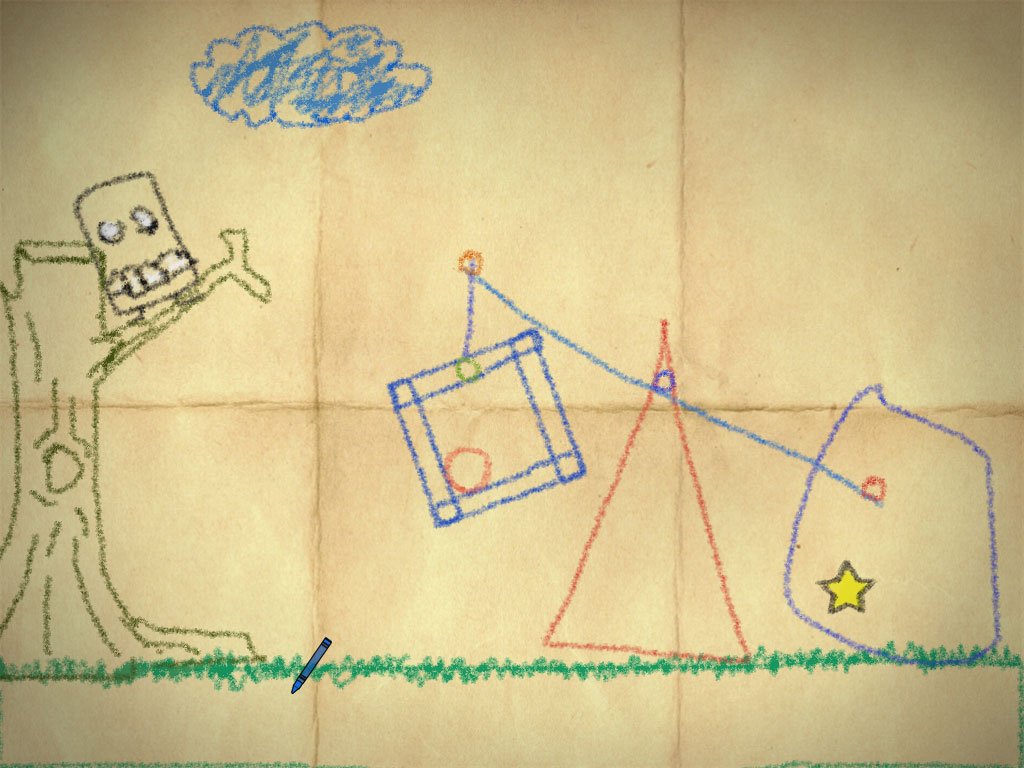
And what about drawing? The screen allows you to read forms and symbols on the surface, and games like Crayon Physics Deluxe have already experimented with integrating shapes into mechanics. How we write or touch the sensor's surface (speed, pauses, curves) can also become an interesting source of data for the gameplay process, especially in combination with developing neural networks that can recognize not only images but additional shades of mood or character.
And control via thought? How enticing is it to avoid buttons and simply think of the command! However, long attempts to analyze data captured with electrodes from the scalp have shown that this information is not yet subject to accurate interpretation. Moreover, you would have to consider individual characteristics of each person, as well as teach all users how to "signal" their brain as a controller.
A different story with an implanted chip. With its help, you can get access to more specific signals from the brain with minimal mixing. The company Neuralink has already made significant progress in this technology and is close to real-world applications. However, it's safe to say that a solution will be niche due to the invasiveness of the procedure for at least as long as transhumanism is not widely adopted.
Here's an interesting video about how the first user of Neuralink played Mario Kart using an implanted chip in their brain.
The development of controllers continues and will probably never stop. We shouldn't forget that they are only a means to an end. They must have both conscious practical application and software support. Unique solutions may hit the mark and win over players, or remain unnoticed. The gaming industry is already mature enough to be cautious, but still young enough to experiment. And this is wonderful.
Conclusion
Controllers not only immerse us in the world of entertainment, but also limit our fun due to their limitations. At the same time, an attempt to introduce a single standard may deprive controllers of their individuality. Finding a balance is another challenge for hardware developers, software layers, engines, and games themselves.
The real challenge lies in systematizing and simplifying device connection during game development. The ideal variant would be when a developer can abstractly describe actions, so that the tools automatically link them to existing controllers, and most players will not want to reconfigure the layout. However, this is currently unattainable. And considering the constantly emerging new input devices, such common standardization will always be somewhere on the horizon. However, simplifying game development for the most widely used devices is a achievable task.
Researchers are constantly searching for new and interesting ways of human-computer interaction, as well as improving old ones (enough to look at the evolution of joysticks). But in some areas, this interaction has completely different goals and requires achieving completely different results. So far, we have focused on game controllers for entertainment (or esports), but games can be used as a means of improving performance in learning, rehabilitation, correction, and training processes. Educational and medical programs and hardware-software complexes solve their own set of tasks, which only partially rely on the experience, tools, and principles of the gaming industry. We will discuss this topic next time.